


MeetMe: Go Live & Stream Now
4.0252.84K Reviews
App Specs
- Version
- 232.1
- Updated On
- License
- Free
- Downloads
- 100,000,000+
- Developer
- MeetMe.com
- Categories
- Social
- Platform
- Android
Screenshots
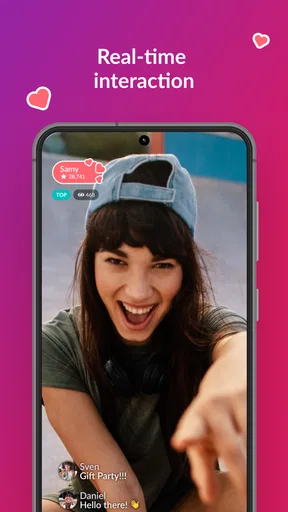
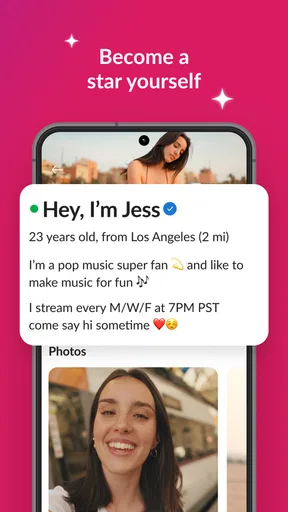
 Analysis by AppCompare
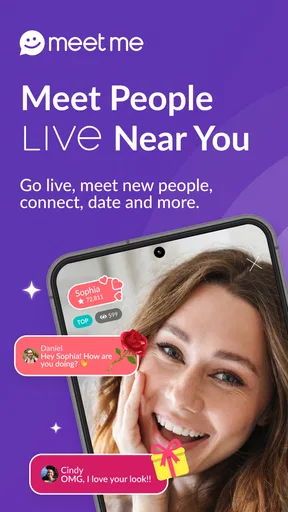
I came away from MeetMe: Go Live & Stream Now with the impression that it is less about carefully polished social profiles and more about dropping into live interaction quickly. It belongs to the social category, is free to install, and is developed by MeetMe.com. The main experience combines live broadcasts, viewer interaction, and a discovery flow built around finding people who are already online. That makes it appealing when I want something immediate rather than another feed that I scroll passively.
At the same time, this is a mature-audience app, rated 17+, and I would not treat it as a casual children’s social network. Live video changes the way I use it: conversations move quickly, people are less predictable than in a text-only service, and the quality of a session depends heavily on who happens to be broadcasting. My overall view is positive for adults who enjoy spontaneous social contact, but I would recommend approaching it with clear boundaries and realistic expectations.
Where the experience usually gets stuck
Before changing settings or reinstalling anything, I separate a one-room problem from an app-wide one: I check whether navigation and other broadcasts still respond, then compare with a different session. That quick distinction helps me avoid unnecessary troubleshooting and gives the next setup checks a clear purpose: ruling out the device, connection, and software basics in a sensible order.
Live discovery can feel busier than expected
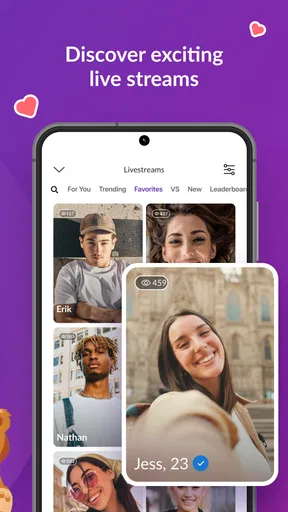
The first point of friction is understanding what the app is trying to be. If I open it expecting a conventional messaging service, I may wonder why live shows and battles receive so much attention. The app’s store summary focuses on watching entertaining shows and battles with top streamers, and that emphasis matters. It is designed to put live activity in front of me, not simply wait for me to build a private circle.
That immediacy is useful when I have ten spare minutes and want to see what is happening now. It is less satisfying when I am looking for a quiet, predictable conversation with people I already know. I found that the best way to judge it is to treat the live area as an active social lounge rather than as a replacement for a private messenger.
Another common stumbling block is the difference between watching and participating. A broadcast can be enjoyable without requiring me to speak, but live communities often reward visible participation. I may need to spend time observing the room, reading the tone of the chat, and deciding whether I actually want to comment. Joining too quickly can make the app feel noisy; staying silent forever can make it feel like ordinary television.
Connection problems are especially noticeable during live video
When a stream pauses, audio falls behind, or the screen takes a long time to update, the problem can look like an app failure. In practice, live video is simply less forgiving than a normal social feed. A weak mobile connection, crowded Wi-Fi, or a temporary change in network quality can interrupt the experience even when other apps still appear to work.
Worth Reading Before You Choose

Flipboard Shows What News Apps Must Do Beyond the Feed

Switching to Android Auto Means Rethinking Your Driving Routine

Google Calendar Makes a Crowded Week Easier to Manage

Ludo King Makes the Most of the Minutes Between Plans

Baby Panda World Brings Quick Play to Modern Phones, but Its Game Library Feels Busy

ESPN’s Live Game View Makes Following Close Games Easier
I would first switch between a reliable Wi-Fi connection and mobile data, then close other apps that are actively using the connection. If the stream recovers after that, the issue was probably the route to the live session rather than the account itself. I would also avoid judging the whole service from one broadcast, because the problem may belong to a particular session or moment.
Notifications and social pressure need deliberate handling
Live social apps can become distracting because the reason to return is always immediate: someone is broadcasting now, a conversation is moving, or a familiar profile has become active. I recommend deciding in advance whether I want the app to be an occasional entertainment tool or a regular social habit. That choice affects how much interruption I am willing to accept.
I also pay attention to how quickly I share personal details. A live room can feel friendly within minutes, but familiarity is not the same as trust. I keep early conversations general, avoid moving too quickly into sensitive subjects, and leave a room if the tone becomes uncomfortable. That is not a criticism unique to MeetMe; it is simply more important here because live interaction feels personal before I know the people involved.
Purchases can change the feel of the experience
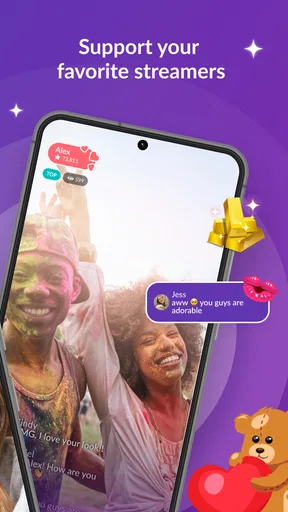
The app is free, but it includes in-app purchases ranging from $0.99 to $249.99 per item. That wide range is worth noticing before I start interacting with live content. Even when I intend to watch without spending, social apps can make paid items feel connected to attention, participation, or support. I would decide on a firm spending limit before exploring those areas.
For me, the practical rule is simple: I only spend when I understand exactly what I am buying and why it improves my own use. I would not treat a purchase as a shortcut to friendship, recognition, or a better social outcome. If the paid side makes the app feel uncomfortable, the free viewing and conversation experience may no longer be the right fit.
Setup checks that prevent avoidable trouble
A brief, deliberate first run can prevent a lot of guesswork later. I test a broadcast on the connection I expect to use, check that the phone meets the app’s Android 8.0 minimum, and decide in advance what personal details I will keep private. With those baselines in place, the recovery steps are easier to judge because I know what normal behavior looks like for my device and routine.
Start with the device and software basics
The current version is 232.1 and the app supports devices running Android 8.0 or later. Before troubleshooting anything complicated, I check that the phone meets that minimum and that the app is updated through the normal app store. This is especially useful if the installation completes but the interface behaves strangely or a live area refuses to load correctly.
I also make sure the phone has enough free storage for ordinary app operation and that the operating system is not waiting for a restart. I do not need a special setup ritual, but a current system, stable connection, and a clear amount of storage remove several easy explanations for crashes or sluggish loading.
Give the first session a calm test
Rather than immediately trying to follow every live room, I prefer a short test session. I open the app, browse the available live content, watch long enough to see whether video and audio stay aligned, and try a small amount of interaction only if I feel comfortable. This tells me more than repeatedly opening and closing the app.
A useful habit is to test at two different times of day. If performance changes dramatically, I look first at the network environment and the broadcast itself. If every part of the app remains slow, I restart the app and phone before assuming the account or service is at fault.
Set boundaries before meeting new people
Because the content rating is Mature 17+, I would use the app only if I fall within that age group and understand that live rooms may not match the tone of a general-audience network. I avoid sharing a phone number, home address, workplace details, or anything that would make an offline approach easy. I also treat requests for money or urgent personal help as a reason to stop and reassess.
My preferred workflow is to observe first, interact lightly second, and decide later whether someone deserves more attention. That small delay is valuable. It helps me distinguish a genuinely comfortable conversation from the excitement of a fast-moving live room.
Use the app’s social design intentionally
The strongest setup decision is not technical. It is deciding what I want from the service. If I want to watch live entertainment, I can focus on broadcasts and leave quickly. If I want conversation, I can spend more time learning the atmosphere of particular rooms. If I want a private, dependable way to contact close friends, I would use a different kind of app instead.
This distinction prevents disappointment. MeetMe works best when I accept its live, open-ended character. It is not automatically better because it offers more activity, and it is not automatically worse because the activity is unpredictable. The right choice depends on whether spontaneity is a benefit or an annoyance for me.
Recovering a workflow when something goes wrong
When something fails, I try one change at a time and observe the result instead of repeating taps or making several account changes at once. I’ll switch networks, reopen the app, or try another room, noting which action actually restores the experience. That method keeps a temporary stream or chat hiccup from turning into a confusing chain of fixes, and it leads naturally to the more important question of whether the cause is outside the app.
When a broadcast will not load
I handle a failed broadcast in stages. First, I check whether other parts of the app respond. If profiles or navigation load but one live session does not, I leave that session and try another. If the entire app is unresponsive, I close it completely, reopen it, and test the connection. This simple separation prevents me from treating a single unavailable stream as a full account problem.
If the issue continues, I restart the device and confirm that the operating system is compatible. I would avoid repeatedly tapping the same action, because that can create a confusing chain of delayed requests once the connection returns. A clean restart gives me a clearer result.
When chat or interaction feels delayed
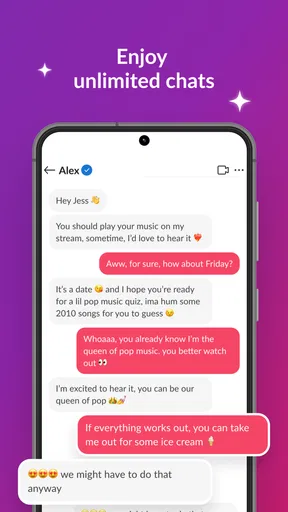
Live chat can feel broken when messages appear late, especially if the video continues normally. I wait briefly, avoid sending the same message repeatedly, and then leave and re-enter the room if necessary. If the delay occurs only in one room, I move on rather than assuming every conversation will behave the same way.
I also remember that a live room is not a private conversation. A delayed response may have more to do with the broadcaster managing several interactions than with a technical error. That is one of the app’s less obvious trade-offs: the open live format creates more opportunities to meet people, but it also means attention is shared.
When the app becomes overwhelming
If I find myself jumping between rooms without enjoying any of them, I reduce the session to one clear purpose. I might watch one show for a few minutes, have one conversation, or simply close the app. The service is easier to evaluate when I use it intentionally instead of allowing its constant activity to choose my next action.
I also avoid spending money just to remain part of a fast-moving interaction. Since individual in-app purchases can reach $249.99, setting a limit outside the excitement of a live room is practical. The best test is whether I would still want the item after leaving the broadcast and thinking about it calmly.
When account access becomes the concern
If I cannot sign in or an account action repeatedly fails, I first check the connection, restart the app, and make sure the installed version is current. I would not create multiple new accounts immediately, because that can make it harder to understand whether the problem is with the login method, the device, or the original account.
I also keep any recovery information private and use only the app’s normal account tools. If a message from another user asks me to reveal login details or follow an unfamiliar process, I ignore it. A social connection should never require surrendering control of the account.
When the app is not the cause
I find it useful to distinguish a technical fault from an ordinary mismatch: a quiet room, a host whose style I dislike, or delayed attention in a busy broadcast may be disappointing without indicating that anything is broken. Comparing a few sessions helps me make that call fairly. The next step is to consider whether my phone, network, or expectations—not the service itself—best explain what I experienced.
The broadcaster may be the limiting factor
Not every poor session reflects the platform. A broadcaster may have weak connectivity, distracting audio, an unstructured show, or a conversation style that simply does not suit me. The app gives me access to many live situations, but it cannot make every host interesting or every room welcoming.
I judge the experience across several different rooms before forming an opinion. If one broadcast is choppy while another is smooth, that difference is a useful clue. It also reminds me that the app’s value depends partly on discovery: finding the right people matters more than staying in the first room I open.
My phone may be under strain
Live video can expose problems that are invisible during ordinary browsing. If the phone is hot, nearly full, running many background tasks, or using an unstable connection, the app may appear unreliable. I close unnecessary apps, let the device cool, and try again on a stronger network before changing anything drastic.
Older compatible devices may also feel less comfortable with live content than newer phones, even though they meet the minimum operating-system requirement. That does not make the app unusable, but it can affect how pleasant longer sessions feel. For me, short viewing sessions are a better test than an immediate commitment to hours of use.
My expectations may be mismatched
MeetMe is a poor choice if I want a tightly controlled professional broadcast platform, a private family messenger, or a dating experience with no live entertainment component. The usual alternatives may be better in those situations: a private messaging service for known contacts, a focused video platform for polished programming, or a more structured matching service for people who want a narrowly defined purpose.
Where this app has an advantage is the low barrier to discovering live social activity. I can browse, watch, and decide whether to participate without needing the interaction to be perfectly planned. That is a meaningful difference from a conventional feed, but it only helps if I enjoy uncertainty and can tolerate uneven content quality.
Popularity does not guarantee a personal match
MeetMe has been available since Jul 1, 2010, and its scale is substantial: it has passed 100 million installs, with an average rating of 4.0 from around 1.6 million ratings. Those figures suggest a large audience and long-running presence, but they do not guarantee that I will immediately find the right rooms or people.
I read that reach as an opportunity rather than a promise. A large network can make discovery easier, yet it can also produce more noise and more varied behavior. My experience improved when I stopped expecting every session to be rewarding and instead used the app selectively.
My practical verdict after using it
I would recommend this social app to adults who like live interaction, spontaneous broadcasts, and the feeling of entering a conversation already in progress. It is particularly suitable for someone who wants a quick way to watch live shows or explore new social circles without planning a formal event. The free entry makes experimenting easy, while the large installed audience gives the live areas a reasonable chance of being active.
I would skip it if my priority is privacy, predictable communication, or a quiet experience without purchase pressure. I would also be cautious if I tend to spend impulsively in social environments. The Mature 17+ rating is important, not decorative, and I would use the service with the same care I apply to any open live community.
The most useful way to approach MeetMe is as a flexible live-social tool rather than an all-purpose communication app. I keep sessions short at first, test the connection before blaming the software, move between rooms when one broadcast is poor, and avoid confusing quick friendliness with genuine trust. Those habits address most of the friction I encountered and make the app easier to judge fairly.
With those expectations in place, I can see why the service has attracted a broad audience. It offers immediacy that ordinary social feeds often lack, but it also transfers more responsibility to me as the viewer and participant. My final recommendation is therefore conditional but clear: try it if live discovery sounds enjoyable, keep spending and personal sharing under control, and choose a more focused alternative when you need privacy, structure, or consistently polished content.
Pros
- Large user base makes it easier to discover new people and live streams.
- Live video
- chat
- and social features are combined in one app.
- Users can personalize profiles with photos
- interests
- and status updates.
- Available on both Android and iOS devices.
- In-app discovery tools help find people nearby or with shared interests.
Cons
- Some features and virtual gifts require in-app purchases or subscriptions.
- Public live streams may include mature
- inappropriate
- or misleading content.
- Privacy can be a concern when sharing location or personal profile details.
- Frequent notifications may feel intrusive unless carefully customized.
- Interactions with strangers can involve spam
- fake profiles
- or unwanted messages.
FAQs for MeetMe: Go Live & Stream Now
What is MeetMe: Go Live & Stream Now used for?
MeetMe is a social discovery app designed for meeting and chatting with new people through profiles, private messages, video interactions, and live-streaming features. After creating an account, you can browse users, join live broadcasts, follow streamers, send messages, and participate in conversations. The experience focuses on social interaction and entertainment rather than traditional dating alone, so the quality of conversations can vary depending on the community and your location.
Is MeetMe: Go Live & Stream Now free to download and use?
The app can generally be downloaded and used without an upfront payment, and many basic features are available for free. However, MeetMe may offer optional in-app purchases, premium memberships, virtual gifts, credits, or other paid extras that enhance visibility or interaction. Some features may also be limited for free users. Before confirming a purchase, carefully check the price, subscription terms, renewal conditions, and payment settings associated with your Google Play or App Store account.
Is MeetMe safe for meeting and chatting with strangers?
MeetMe includes reporting, blocking, and account-safety tools, but no social app can guarantee that every user is genuine or trustworthy. Avoid sharing your home address, financial information, passwords, or private documents, and be cautious with requests for money or personal favors. Keep early conversations inside the app, verify suspicious claims, and report abusive, threatening, deceptive, or inappropriate behavior. Younger users should also review the app’s age requirements and use appropriate supervision.
Does MeetMe require a real name, photo, or location access?
MeetMe typically asks users to create a profile with information such as a display name, age, photo, and general location so that the app can provide social discovery features. Some permissions, including notifications, camera, microphone, or location access, may support messaging, live streaming, and nearby-user suggestions. You can review and change permissions through your Android or iOS settings. Use only the information you are comfortable displaying publicly and check your profile visibility options.
Can I livestream or watch live videos on MeetMe?
Yes, live-streaming is one of the app’s main entertainment and interaction features. Depending on account eligibility and current app policies, users may be able to start broadcasts, watch other creators, comment in live chats, follow hosts, and send virtual gifts. Live content can be unpredictable, and moderation may not remove inappropriate material immediately. Use the reporting tools when necessary, avoid revealing sensitive information during broadcasts, and remember that livestream interactions may involve optional paid items.


